


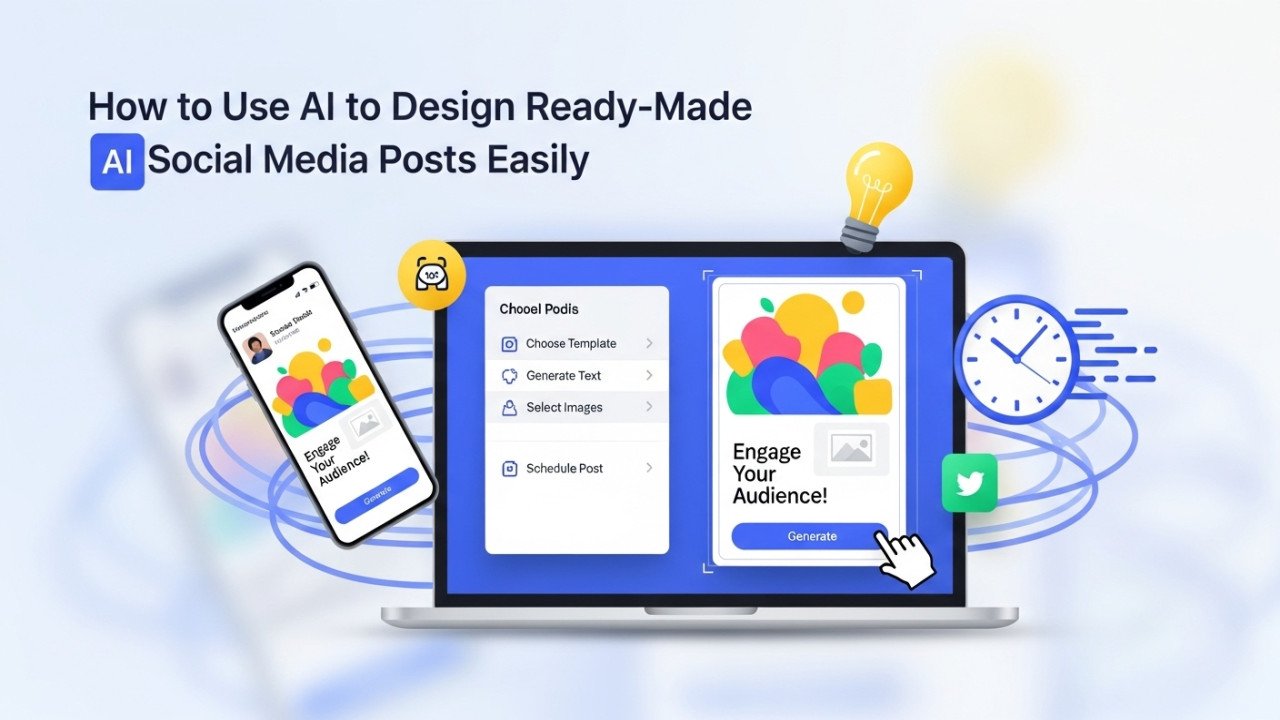
How to Use AI to Design Ready-Made Social Media Posts Easily
Creating visually compelling social media posts demands design skills, artistic sense, and significant time investment. Modern AI-powered design platforms have transformed this process. Now, anyone can generate professional, ready-to-publish social media posts in minutes without design experience or expensive software subscriptions.
These intelligent design tools combine artificial intelligence with millions of templates, creating ready-made posts requiring minimal customization. Users simply describe their desired content—or select from AI-generated options—and the platform produces complete, visually polished posts optimized for specific social platforms. The technology eliminates technical barriers while maintaining professional quality standards that rival posts created by professional designers.
Understanding AI-Powered Social Media Design
AI social media design tools employ machine learning models trained on successful social media content, identifying design patterns that drive engagement. These systems understand platform-specific requirements, including image dimensions, optimal text placement, color psychology, typography best practices, and composition principles that maximize attention and sharing.
The platforms are separated into distinct categories. Template-based generators provide pre-designed layouts requiring simple customization—users modify text, colors, and images within existing structures. Full AI generation tools create original designs from text descriptions or themes. Hybrid platforms combine both approaches, enabling users to choose between guided customization or freeform AI generation.
Superior platforms integrate AI copywriting, image generation, and design capabilities within unified interfaces. This integration eliminates platform switching between writing tools, image generators, and design editors—enabling streamlined workflows producing cohesive content across all elements.
Canva: Comprehensive Design With AI Magic
Canva dominates the social media design space through exceptional accessibility combined with powerful AI capabilities. The platform serves over 200 million users through its intuitive drag-and-drop interface,e requiring no design experience.
Magic Design represents Canva's core AI feature—users describe desired content through text prompts, and AI generates complete social media posts within seconds. The platform analyzes your description,n then automatically combines appropriate templates, images, colors, and typography, creating visually balanced designs.
Canva provides thousands of designer-created templates for every social platform, including Instagram, TikTok, Facebook, LinkedIn, and YouTube. Users can start with templates, then customize through drag-and-drop editing. Alternatively, users upload brand logos and colors, and Canva automatically applies consistent branding across all designs.
The free tier includes substantial functionality—millions of images, videos, audio tracks, and design elements. Premium features unlock additional templates and advanced AI capabilities. The Content Planner feature enables scheduling posts directly to social platforms from within Canva.
Brand Hub (Pro tier) stores logos, colors, and fonts,s ensuring consistency across the entire content libraries. This systematic approach prevents visual fragmentation as content volume increases. For content teams maintaining dozens of brand accounts, Brand Hub provides essential organizational infrastructure.
SocialBee: Content Creation and Scheduling Combined
SocialBee positions itself as an all-in-one social media solution combining AI post generation with scheduling and analytics. The platform generates complete social media posts combining AI-written captions with matching AI-generated images.
The free AI post generator creates multiple post variations from single prompts—enabling users to select preferred options rather than settling for single generated results. This variation approach accommodates different audience segments and A/B testing preferences.
Unique features include automatic hashtag and emoji insertion,, ensuring posts contain engagement-optimizing elements. The content repurposing tool transforms existing blog posts or articles into optimized social media posts. The platform handles direct scheduling across multiple social accounts,s preventing manual cross-posting.
The free tier provides meaningful access to core features. Premium tiers unlock unlimited post generation and expanded scheduling limits. For creators managing multiple social channels, SocialBee's integrated approach streamlines entire workflows.
Predis.ai: Specialized Carousel and Video Generation
Predis.ai excels specifically at carousel and video post generation—formats proving consistently effective on social platforms for driving engagement. The platform analyzes trending content and audience insights, ts recommending content ideas likely to resonate.
The AI generates complete post variations with different visual styles, copy angles, and design approaches from single prompts. Users select preferred variants,ons then customize further if desired. The carousel generation specifically formats multi-slide posts following platform requirements automatically.
Video generation transforms static concepts into short, engaging video content suitable for TikTok, Instagram Reels, and YouTube Shorts. This versatility appeals to creators seeking diverse content formats from single AI assistance. Competitive analysis features help identify successful content patterns within your industry.
Pricing begins at $23 monthly with comprehensive feature access. The platform suits serious creators producing regular carousel and video content requiring design consistency.
Piktochart: Information-Rich Carousel Mastery
Piktochart specializes in carousel design, particularly for information-dense content. The AI carousel maker generates multi-slide Instagram posts ideal for tutorials, tips, educational content, and thought leadership material.
The platform understands carousel-specific design principles, ensuring consistent visual styling across all slides while maintaining information clarity. This specialized focus produces superior results compared to general-purpose tools for carousel content.
Piktochart templates cover diverse industries and formats. Users input content themes,, and AI automatically generates professionally structured carousels requiring minimal customization. The editing interface emphasizes simplicity, ty enabling rapid customization.
Free access enables carousel experimentation. Paid plans unlock advanced features and remove watermarks. For creators prioritizing carousel content, Piktochart delivers specialized expertise.
Simplified: Multi-Feature AI Design Suite
Simplified combines AI design generation with additional content creation features, res including video editing, copywriting, and image generation. This comprehensive approach appeals to creators seeking unified platforms rather than managing multiple specialized tools.
The AI Designer generates complete social media posts from text descriptions. Users specify post topics, desired tones, and platform requirements, then AI produces ready-to-customize designs. Multiple generated variations enable selection between different creative directions.
The platform integrates copywriting assistance, automatically generating engaging captions matching visual designs. This text-visual synchronization ensures cohesive messaging throughout each post.
Simplified works across web browsers, Windows, Mac, iOS, and Android, enabling multi-device workflows. The free tier includes meaningful AI design access. Paid subscriptions unlock unlimited generation and advanced features.
Buffer: Scheduling and AI Content Creation
Buffer positions itself as a comprehensive social media management platform emphasizing AI-assisted content creation and optimal posting scheduling. The platform analyzes your audience's activity patterns,s recommending ideal posting times for maximum reach and engagement.
The AI assistant generates post ideas, copy variations, and content suggestions, ns eliminating writer's block. The text-to-image AI generates matching visuals for written content,, ensuring visual-textual alignment.
Buffer's strength lies in multi-channel management—create posts once, then publish across diverse platforms with Buffer handling platform-specific formatting automatically. This efficiency particularly benefits creators managing 5+ social channels simultaneously.
The free plan provides meaningful social scheduling capabilities. Premium tiers unlock unlimited scheduling and advanced AI features.
Copy.ai: Template-Driven Content Generation
Copy.ai provides 90+ templates specifically designed for social media content. The platform combines AI copywriting with visual design recommendations, creating complete content concepts.
The template approach guides users through content creation systematically—select a template, input key information, and AI generates multiple content variations combining copy and design suggestions. This structured approach suits users who prefer guided processes over freeform creation.
The Workflow Builder enables automating repetitive content creation processes. Complex multi-step workflows execute automatically, saving significant time for high-volume producers.
Pricing provides affordable access to unlimited generation. Paid tiers unlock advanced features and commercial licensing.
PlayPlay: Free AI Social Media Post Generator
PlayPlay offers completely free AI social media post generation, requiring no account creation. Users input post topics and instantly receive three AI-generated caption variations suitable for publishing.
The platform's minimalist approach appeals to users preferring simplicity without feature complexity. Instant post generation within seconds enables rapid content production.
The free tier proves genuinely unlimited—users generate unlimited posts without monthly limits or hidden paywalls. This accessibility particularly benefits budget-conscious creators and small businesses testing AI content creation.
Ocoya: Workflow Automation for Social Media
Ocoya emphasizes automation through scheduled content creation workflows. Users define rules—such as "generate AI post every two days" or "create posts whenever blog updates occur"—and Ocoya executes automatically.
RSS integration connects blogs directly to Ocoya, automatically transforming new blog posts into social media content. Woocommerce integration enables automatic product update,s triggering promotional post generation.
This workflow approach suits businesses producing regular content wanting systematic automation handling routine generation. The platform handles scheduling across multiple accounts, ts enabling fire-and-forget posting.
Step-by-Step Process: Creating Your First AI Social Post
Following this systematic approach enables effective AI social media post generation regardless of specific platform choice.
Step 1: Select Your AI Design Platform
Choose based on your specific needs. Select Canva for comprehensive design with extensive templates. Choose SocialBee for scheduling and analytics integration. Pick Predis.ai for carousel and video specialization. Match platform capabilities to your content requirements.
Step 2: Define Your Post Concept
Clearly describe the post's purpose. Are you promoting products, sharing educational content, entertaining followers, or establishing authority? Define your target audience and desired emotional response. Specify desired post format—single image, carousel, video, or text-based post.
Step 3: Prepare Your Input Information
Provide detailed context guiding AI toward desired outputs. Rather than simply stating "create social post," specify: "Create an Instagram carousel post about productivity tips for remote workers. Target audience: 25-40-year-old professionals. Tone: professional yet friendly. Include five actionable tips with specific implementation examples."
Include relevant details like brand colors, industry context, or specific keywords that you want included.
Step 4: Generate Post Options
Input your specifications into your selected platform. Allow the AI to generate multiple post variations—most platforms produce 3-5 different design approaches from single prompts.
Step 5: Review Generated Options
Examine all generated posts critically. Does the design align with your brand aesthetics? Does the copy convey an appropriate tone? Are visuals relevant and engaging? Does the post appear properly formatted for your intended social platform?
Step 6: Customize Your Preferred Option
Select the generated post that best matches your vision. Customize through platform editing tools. Modify text, ensuring accuracy and brand voice alignment. Adjust colors or imagery if desired. Ensure text readability on mobile devices.
Step 7: Add Branding Elements
Incorporate your logo if the platform provides logo insertion. Verify consistent color usage matches your brand guidelines. Confirm font selections align with brand typography standards.
Step 8: Insert Platform-Specific Elements
Add relevant hashtags suited to your audience and industry. Include calls-to-action directing followers toward desired engagement. Verify mention tags or location tags if applicable for your content.
Step 9: Preview on Mobile
View your post as it appears on mobile devices—the primary consumption method for social content. Verify text remains readable at mobile sizes. Confirm images display properly without cropping important elements.
Step 10: Export and Schedule
Download your post in appropriate formats. If using AI platforms with scheduling integration, directly schedule posts at optimal times identified through platform analytics. Otherwise, download and manually upload to your social platform.
Critical Techniques for Superior AI Social Posts
Implementing these strategies dramatically improves generated content quality and audience engagement.
Detailed Prompt Specification
Superior prompts produce superior results. Describe audience demographics, brand tone, specific messaging priorities, and visual preferences. Include industry context and competitive differentiation factors. Specify any particular calls-to-action or engagement goals.
Consistent Brand Voice Application
Never publish AI-generated posts unchanged. Refine copy, ensuring authentic brand voice. Add personal perspective or expertise, distinguishing your content from generic AI outputs. Inject ppersonalcontent distinctly yours, rather than obviously AI-generated.
Visual Enhancement Strategy
While AI generates appropriate imagery, consider supplementing with brand-specific visuals. Upload professional product photography or branded graphics,s ensuring visual consistency across posts. High-quality original images typically outperform stock photography.
Platform Optimization
Different platforms have specific requirements and audience expectations. Instagram prioritizes visually stunning imagery. LinkedIn values professional expertise and industry insights. TikTok emphasizes entertainment and relatability. Customize your AI-generated posts for platform-specific expectations rather than publishing identical posts everywhere.
Engagement Optimization
Position calls-to-action prominently. Ask questions, encouraging comments. Include relevant hashtags without excessive repetition. Use emojis appropriately, amplifying emotional tone without appearing unprofessional.
Scaling AI Post Production
These strategies enable efficient high-volume content generation.
Template Development
Document successful prompt specifications and design preferences. Create reusable templates generating consistent output across content series. Save effective prompts enabling rapid reproduction for similar future posts.
Batch Processing
Generate multiple posts simultaneously rather than individually. This approach dramatically accelerates production when managing content calendars or creating promotional content series.
Workflow Automation
Implement scheduled generation through platforms like Ocoy, a enabling automatic post creation without manual intervention. Connect content sources like blogs or product feeds, triggering automatic post generation.
Team Collaboration
Establish approval workflow,s ensuring content quality and brand alignment before publication. Assign team members responsibility for fact-checking, brand compliance review, and engagement optimization.
Addressing Common AI Social Post Challenges
Understanding frequent issues helps optimize generated content.
Generic or Uninspiring Outputs
AI sometimes produces formulaic content lacking personality. Combine AI generation with human creative direction. Add specific examples, anecdotes, or unique perspectives that distinguish your content.
Tone Misalignment
Generated content occasionally misses the desired emotional tone. Rewrite copy, ensuring appropriate sentiment. Test multiple variations,s identifying which resonates strongest with your audience.
Visual-Text Disconnection
Sometimes, es generated visuals and copy feel unrelated. Customize one elem, en,t ensuring coherence. Alternatively, regenerate seeking better visual-textual synchronization.
Fact Inaccuracy
AI occasionally includes inaccurate claims or statistics. Verify all statements against reliable sources before publishing. This verification step proves essential for maintaining credibility and trust.
Platform Format Issues
Generated posts sometimes display incorrectly on specific platforms. Preview carefully on target platforms before publishing. Manually adjust dimensions or formatting if necessary.
Analytics and Optimization
Track post performance systematically, improving future content.
Engagement Tracking
Monitor likes, comments, shares, and saves. Identify which content types, topics, or designs generate the strongest engagement. Double down on successful patterns while testing alternatives.
Audience Insights
Use platform analytics to understand audience demographics, interests, and activity patterns. Adjust AI prompts incorporating audience preferences. Time posts for maximum visibility when your audience actively consumes content.
A/B Testing
Generate multiple design variations and copy angles, testing each. Track performance,e and differentiating elements driving superior results. Incrementally optimize based on empirical data.
Conclusion
AI-powered social media design tools have democratized content creation, on enabling anyone to produce professional-quality posts without design expertise or expensive software. Canva dominates through accessibility and comprehensive features. SocialBee excels at scheduling and multi-platform management. Predis.ai specializes in carousel and video generation. Simplified combines multiple AI capabilities. PlayPlay provides completely free generation.
Success requires strategic platform selection matching your specific needs. Combine AI generation efficiency with human creative direction, brand voice refinement, and strategic audience optimization. Generate multiple variations, identifying which performs optimally. Track engagement systematically,y informing progressive improvements.
The competitive advantage belongs to creators efficiently leveraging AI tools while maintaining g authentic human connection through quality content, strategic platform optimization, and consistent brand voice. Implement systematic workflows combining AI generation with strategic human oversight, producing content superior to either pure AI or purely human creation.






Comments (0)
No comments found